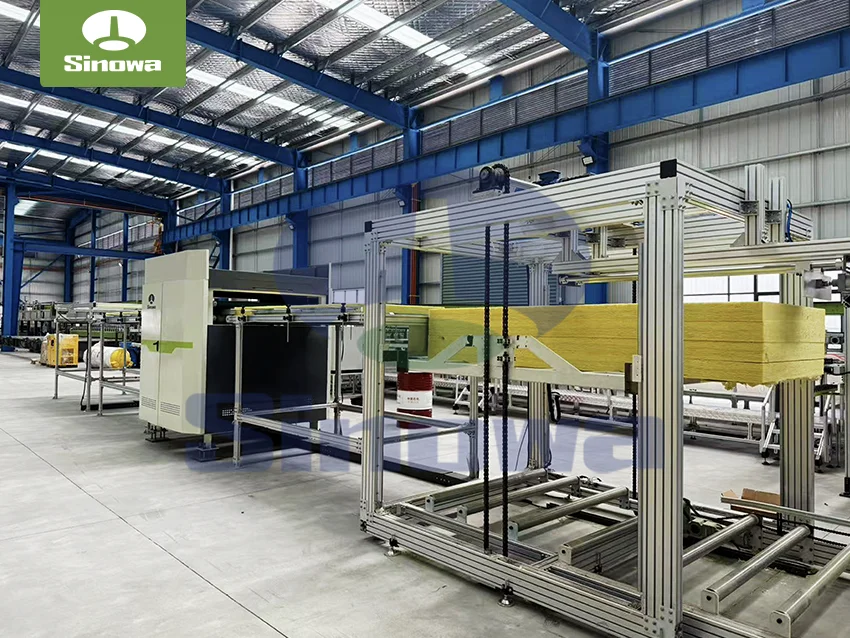
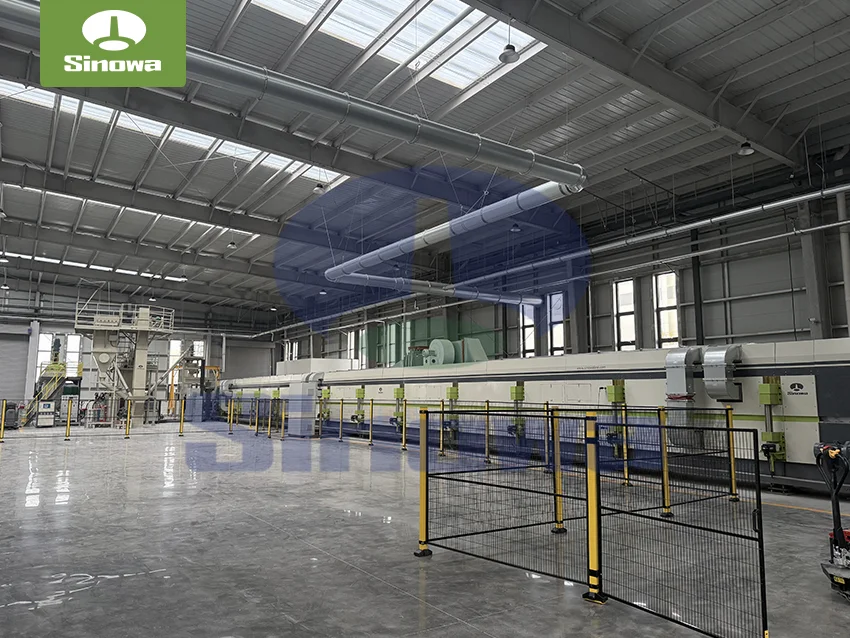
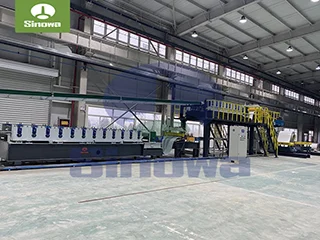
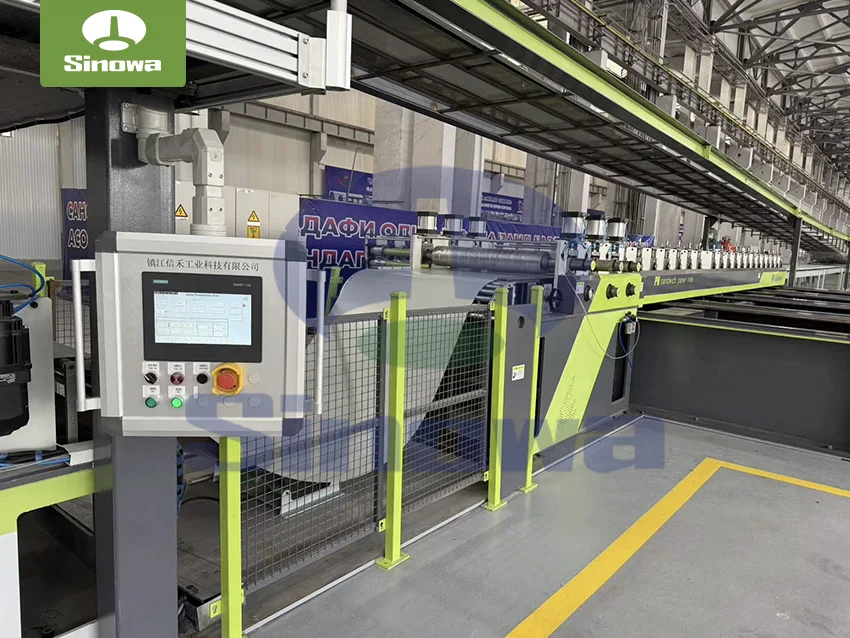
 sandwich panel machine
Before starting any formal debugging work, comprehensive pre-debugging preparation and safety inspection must be completed to avoid secondary equipment damage and operational safety hazards. First, conduct a full visual inspection of the entire machine body to check for loose, deformed or missing mechanical components, including transmission rollers, guide rails, clamping structures, feeding baffles and cutting assemblies. Clean all residual sundries, accumulated dust and leftover panel materials on the equipment surface and internal operation gaps, as foreign object blockage is one of the most common causes of operation jitter and feeding deviation. Meanwhile, check the lubrication status of all rotating and friction parts, supplement or replace lubricating oil according to component operation requirements, and ensure no dry friction or excessive oil accumulation that may affect transmission accuracy. For the equipment power and control system, confirm stable power supply voltage and normal circuit connection status, check for loose wiring terminals, aging wires or poor contact, and ensure the control system can receive and execute operation signals normally. In addition, adjust the equipment levelness initially, check the grounding stability of the machine base, and eliminate the hidden danger of equipment tilt caused by uneven foundation force, which can effectively avoid overall vibration and operational deviation during high-speed operation.
Mechanical system debugging is the core foundation of sandwich panel machine debugging, focusing on feeding transmission, roller operation, clamping calibration and guide rail positioning. Abnormal feeding is a frequent problem in daily production, mainly manifested in uneven material conveying, panel deviation, material jamming or intermittent pause in feeding. During debugging, first observe the operating speed and synchronization of the feeding roller group to ensure all transmission rollers keep consistent rotating speed without individual roller slipping or stalling. Roller slipping is usually caused by insufficient surface friction or uneven pressure contact. It is necessary to fine-tune the gap and pressure of the upper and lower rollers to ensure uniform contact force between rollers and panel raw materials, and properly polish the roller surface if there is serious wear and reduced friction to restore stable transmission capacity. For feeding deviation problems where panels deflect left or right during conveying, focus on calibrating the symmetry of the left and right guide rails and clamping components. Adjust the clamping pressure on both sides to keep consistent, check whether the guide rails are deformed or displaced, and correct the horizontal straightness of the guide rails to ensure raw materials can move forward along a fixed central track without lateral offset.
The levelness calibration of the whole sandwich panel making machine is also a key part of mechanical debugging, which directly affects the flatness and dimensional accuracy of finished panels. During calibration, use professional measuring tools to detect the horizontal error of the machine body in multiple directions, fine-tune the leveling bolts at the bottom of the equipment, and avoid applying lubricants on the leveling bolts and foot pads to prevent component loosening and secondary level deviation. After each adjustment, perform a low-speed trial operation to observe whether the equipment has abnormal vibration or jitter. If the equipment is still unstable after leveling, check the bearing capacity of the equipment foundation and reinforce the foundation structure if necessary; if individual leveling bolts cannot be tightened smoothly, check for thread damage or rust and replace damaged components in time. In addition, inspect the tightness of all fixed bolts and connecting parts of the transmission system, eliminate loose parts that may cause operational displacement, and ensure the overall mechanical structure is firm and stable during long-term continuous operation.
Thermal system debugging is crucial to ensure the bonding quality and molding effect of sandwich panels, as temperature instability will directly lead to insufficient core material foaming, poor bonding between layers and unqualified panel surface flatness. The core of thermal system debugging is to verify the uniformity and stability of heating temperature, and calibrate the temperature control sensing components. First, start the equipment preheating program, let the sandwich panel manufacturing machine run idle for a certain period, and observe the temperature change data of each heating area in real time. Check whether the temperature rise speed of each area is synchronized and whether there is local overheating or insufficient heating. If the temperature difference between different heating areas is too large, adjust the independent temperature control parameters of each area to balance the overall heating efficiency. For the problem of slow temperature rise or failure to reach the set temperature, inspect the heating components for aging or damage, check whether the temperature sensing probes are displaced or covered by sundries leading to inaccurate temperature signal feedback, and clean or reposition the probes to restore real and effective temperature monitoring.
Reasonable preheating time adjustment is also an important part of thermal debugging. Different core materials and surface layer raw materials require matching preheating cycles. Excessively short preheating time will lead to incomplete material softening and melting, insufficient glue activation and weak interlayer bonding; overly long preheating time will cause material overheating deformation, surface scorching or core material excessive foaming, affecting the overall structural compactness of the panel. During debugging, set gradient preheating parameters according to material characteristics, conduct multiple groups of trial production tests, record the molding effect under different preheating conditions, and lock the optimal preheating temperature and duration parameters. At the same time, check the thermal insulation performance of the heating area, repair damaged thermal insulation structures, avoid heat loss that causes energy waste and temperature fluctuation, and ensure the heating environment is stable and closed during panel molding.
Adhesion system debugging focuses on solving common quality problems such as insufficient interlayer bonding, local debonding and uneven glue coating of finished panels. Uniform and quantitative glue coating is the key to stable bonding quality. During debugging, check the operating status of the glue scraping and gluing components, observe the thickness and uniformity of the glue layer on the material surface, and adjust the opening degree of the glue scraping knob according to the actual material specification to control the glue output accurately. Insufficient glue supply or uneven glue distribution will lead to weak local bonding, while excessive glue output will cause glue overflow and panel surface pollution, increasing subsequent cleaning workload. For the problem of poor overall adhesion, besides adjusting the glue output parameters, check whether the glue material is fully melted and activated. Unmelted solid particles or insufficient glue fluidity will affect the bonding effect, so it is necessary to appropriately extend the preheating and glue melting time to ensure the glue material reaches the optimal active state before coating.
In addition to parameter adjustment, regular cleaning and maintenance of the gluing system cannot be ignored in debugging work. Residual cured glue on the gluing pipeline and scraping components will block the glue outlet and affect the uniformity of subsequent glue coating. During debugging shutdown, thoroughly clean the internal pipeline and working surface of the gluing system, remove all residual cured glue and impurities, and keep the glue circulation and coating channels unobstructed. At the same time, check the pressure stability of the gluing system. Fluctuating gluing pressure will cause uneven glue output. Fine-tune the pressure control parameters to maintain stable and continuous gluing pressure, ensuring that each section of the panel can obtain consistent glue coating thickness and bonding strength.
Cutting and sizing system debugging is directly related to the dimensional accuracy and edge flatness of finished sandwich panels. Common cutting faults include inaccurate cutting length, uneven incision, burrs on panel edges and inconsistent cutting angle. During debugging, first calibrate the cutting positioning system, check whether the cutting sensor and positioning device are sensitive and accurate, eliminate signal delay or positioning deviation caused by sensor failure or displacement, and ensure the equipment can accurately identify the cutting position according to the set parameters. For the problem of inaccurate cutting size, reset and verify the system size parameters, eliminate parameter setting errors or data confusion caused by system program drift, and fix the parameter threshold after multiple trial cutting verification.
The working state of the cutting blade is the key factor affecting cutting quality. Dull, deformed or improperly installed blades will lead to rough incisions and edge burrs. During debugging, inspect the blade sharpness and installation firmness, replace severely worn and dull blades in time, and re-align the blade installation angle to ensure the blade is perpendicular to the panel conveying direction. At the same time, adjust the cutting speed and feeding matching speed. Too fast cutting speed will cause material extrusion deformation and uneven incision, while too slow speed will affect production efficiency and cause local material compression and indentation. Through multiple groups of speed matching tests, lock the optimal combination of feeding speed and cutting speed to ensure smooth and flat cutting without extrusion damage. In addition, check the fixing and buffering structure of the cutting area, ensure the panel is firmly fixed during cutting without shaking or displacement, and avoid dimensional errors and incision defects caused by material vibration during cutting.
Control system debugging focuses on solving equipment operation failure, signal disorder and program response delay, ensuring the coordinated operation of all functional modules of the equipment. When the equipment has problems such as failure to start normally, inability to adjust operating parameters, or automatic shutdown during operation, first check the power circuit and control circuit connection status, confirm stable power input and unobstructed signal transmission, and repair loose and aging wiring in time. For program response delay and parameter adjustment failure, restart the control system to eliminate temporary program cache errors, calibrate the system operation program, and restore the default accurate operating logic. During debugging, test the linkage effect of each functional module one by one, verify the synchronous coordination of feeding, heating, gluing, molding and cutting actions, eliminate asynchronous action and program conflict between different modules, and ensure the whole production line operates in an orderly and linked manner.
After completing the single-module debugging of the sandwich panel equipment, it is necessary to carry out overall linkage debugging and trial production verification to check the overall operating effect and product quality stability of the equipment. Set conventional production parameters, start the full-line low-speed trial operation, continuously produce a certain number of test panels, and comprehensively detect the flatness, dimensional accuracy, interlayer bonding compactness, surface finish and overall structural uniformity of finished products. Record all abnormal phenomena during trial production, including equipment operation noise, vibration, parameter fluctuation and product quality defects, and conduct targeted secondary debugging and optimization for each problem point. For intermittent faults that do not appear frequently, extend the trial operation time, simulate long-term continuous production conditions, and fully expose hidden equipment faults to eliminate potential risks.
Post-debugging sorting and daily maintenance optimization are important guarantees to maintain the debugging effect for a long time. After all debugging work is completed, sort out all adjusted operation parameters, record the optimal parameter thresholds of temperature, speed, pressure and glue output, and form standardized operation data for subsequent production reference. Clean the whole equipment again, sort out tools and debugging auxiliary materials, and ensure the production environment is clean and tidy. At the same time, formulate regular inspection and maintenance plans, regularly check the wear of mechanical parts, the stability of thermal components, the smoothness of gluing system and the accuracy of control system, and conduct regular parameter calibration and fault elimination. Good daily maintenance can effectively reduce the failure rate of equipment, avoid repeated debugging caused by component aging and parameter drift, and ensure the long-term stable and high-quality operation of the sandwich panel production machine.
In general, the debugging work of sandwich panel machinery runs through the whole cycle of equipment installation, operation and daily maintenance. It requires operators to master the linkage logic of each system, accurately judge fault causes through equipment operation state and product quality feedback, and adopt standardized and targeted adjustment schemes. Scientific and meticulous debugging can not only effectively solve various equipment faults and product quality problems, but also optimize equipment operation efficiency, reduce material waste and equipment loss, and create stable production conditions for high-quality sandwich panel manufacturing. Only by adhering to standardized debugging procedures and long-term stable maintenance can the equipment maintain the best operating state for a long time and meet the continuous and stable production demand.
https://www.cnsinowa.com/sandwich-panel-machines/how-to-debug-sandwich-panel-machine.html